Who hasn't experienced their bank looking like a complete mess, and when searching for a specific item, you can spend minutes looking and end up using the search glass to find the item you were looking for one by one?
Organizing your OSRS bank is one of the most essential things in the game. You'll need it for quests, skill leveling, diaries, pvm & bossing—in short, for the entire lifespan of your OSRS account. Although you can indeed continue playing with a disorganized bank, maintaining a clean and organized bank is highly recommended. There are different ways to do this; everyone has their own method. Here, we'll use the most general method, which will work for most OSRS accounts. We recommend reading through it and then adapting each section to your specific bank account. Want one of our workers to do the hard work for you and fix your bank? Check out our minigame services page and look for "bank organization", and we will do the hard work for you!
Disorganized Bank vs. Organized Bank
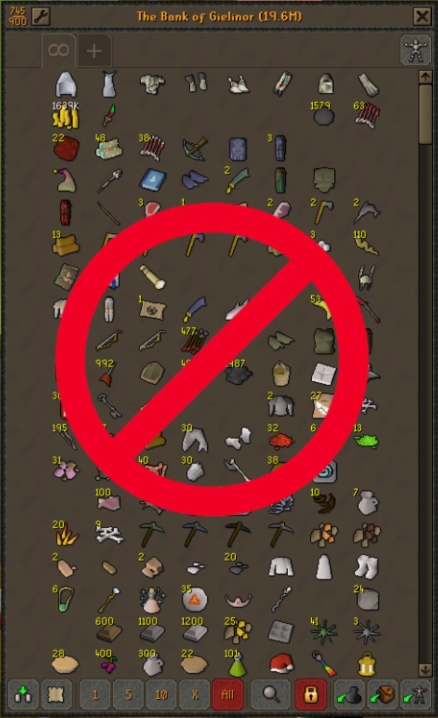
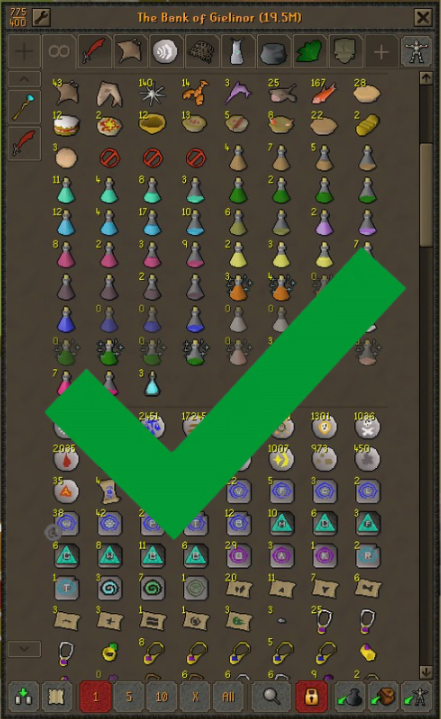
The OSRS Bank includes a section for organizing it into tabs in the superior part of the window bank, each with a unique style for quicker access. You can have a total of 9 tabs in your bank.

- Runes and Teleports Tab
- Melee/Ranged/Melee Tab
- Potions and Food Tab
- NPC Loots Tab
- Skilling/Tools Tab
- Untradeable Items Tab
- Herblore/Secondaries Tab
- Junk/Quests Items Tab
- None/Free Use Tab
To create a new tab, simply drag the item you want to be in the new tab onto the "+" that can be found in the upper left corner of the bank window.
However, you are only allowed to use 9 item tabs. In this guide, we will only use 8 and leave one tab free so that each person can get creative individually.
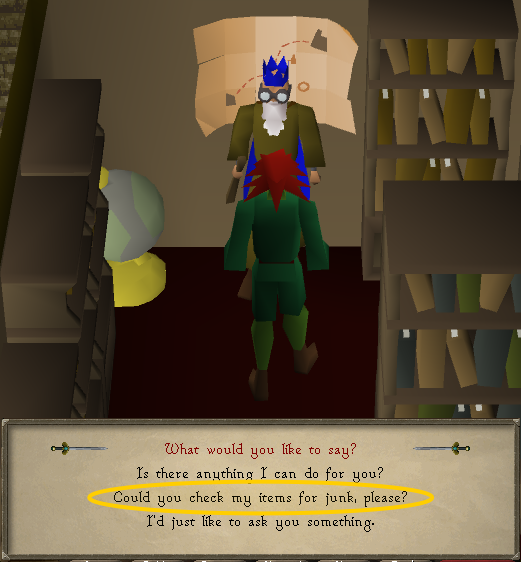
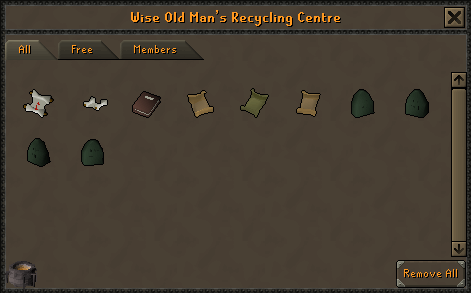
Step 1: Wise Old Man Junk Remove Method
Before creating tabs or moving any items, I recommend you go to Draynor Village and choose the "check for junk" option when speaking to him.
He'll show you all the items that have no future use in the game, so don't worry about being careful, and get rid of all the items to instantly gain dozens of bank slots.
Step 2: Decant Potions and Rechange Jewellery
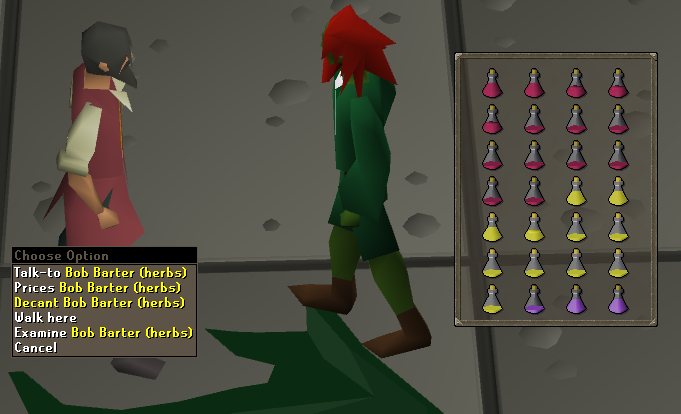
Decant all your potions and also recharge all the jewelry you have so you can handle them better.
Step 3: Seed Vault
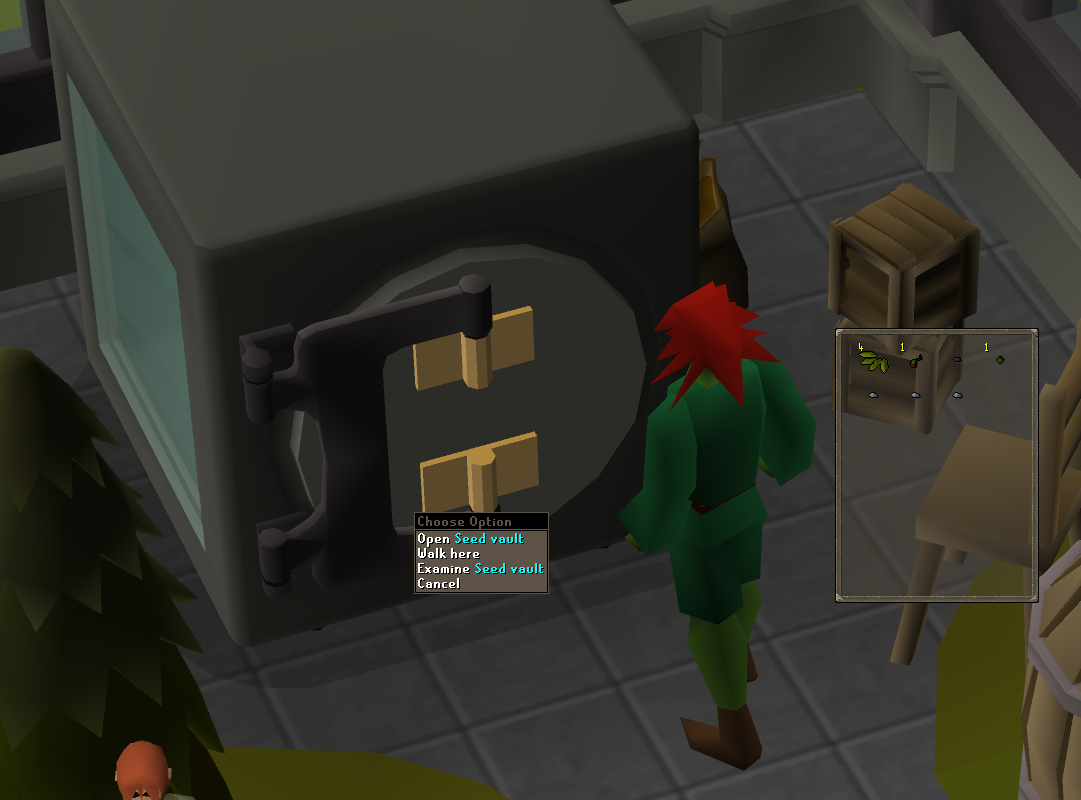
Transfer all seeds to the seed vault located in the Farming Guild. This will save you valuable space in your bank for other items you'll need in the future.
Step 4: POH Storages
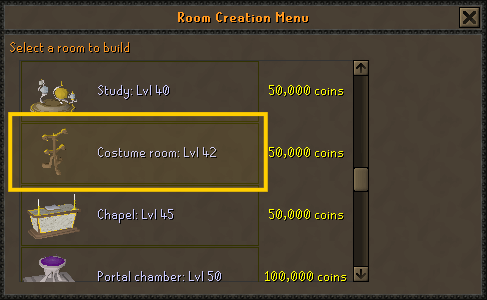
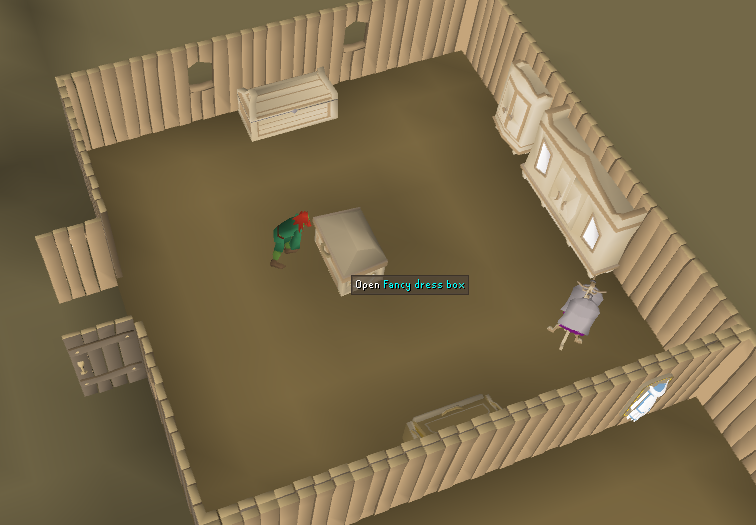
Create a Costume Room in your Player Owned House and store all your holiday items, cape racks, and armor sets to save dozens of bank spaces.
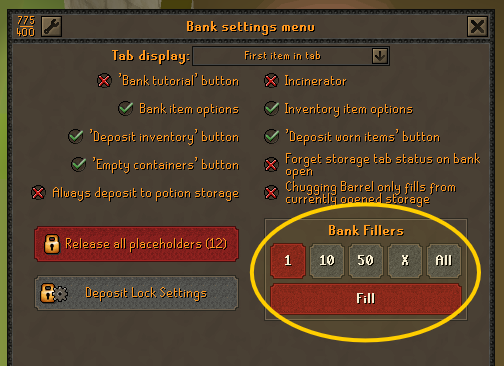
Step 5: Setting Bank Fillers
 Bank Fillers: Use Bank Fillers to create definitive spaces. This prevents new items from messing up your perfectly ordered.
Step 6: Optimal Tab Structures
In this tab, we'll drag all the ways to teleport that we have in the bank, from runes to the tab, to the Dramen staff for traveling through the fairy ring. When I say "all," I mean all the teleports, so you know where to look when you have to do quests, diaries, minigames, or get anywhere. Before you think about running, it's better to think about which teleport to use, so this tab (like all the others) will save you a lot of time. Runes, coins, and the most common teleports (House tabs, Eternal Teleport Crystal). Keep your jewelry (Games necklace, Ring of Dueling) here.
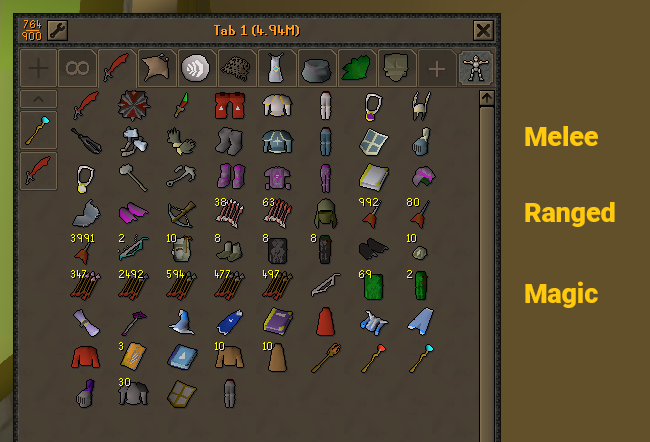
This tab is where most of the swords, weapons, and armor will be located. Many people like to separate them, but I personally prefer having everything in one tab, so in this guide, we'll do it this way. We will send all the best options (and maybe some secondary options) that we have for each fighting style: Melee, Ranged, and Magic.
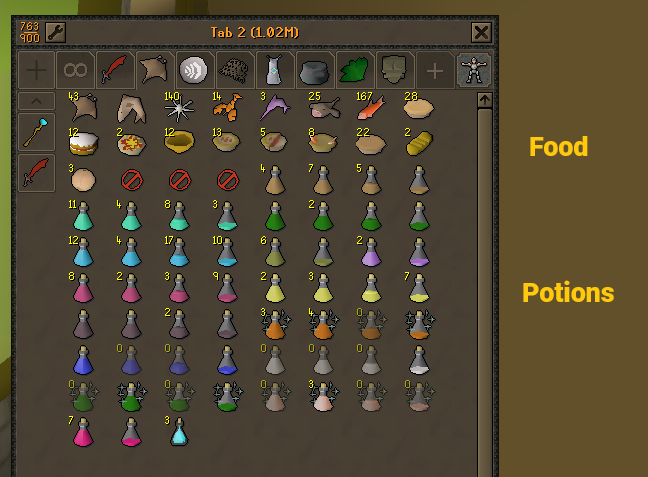
The next tab, which I like to call the Food/Potions tab, as its name explains, is where we will deposit all our food and, below, the potions. We recommend activating the placeholder option so we can create 4 slots with a single option, consume it, and store the potions in the bank. You can have the potions/food one below the other or one next to the other, using 4 lines from top to bottom of each one.
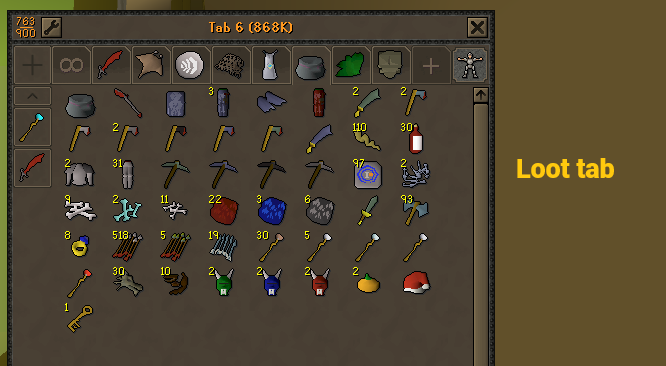
In this tab, we will list all the items that can be sold on The Grand Exchange in exchange for coins, so that we know where to deposit our loot on each trip to each boss or NPC that we kill on our OSRS journey. Group items by tier (Rune, Dragon, Alchables). This helps you track your profit and keeps your main tabs clean.
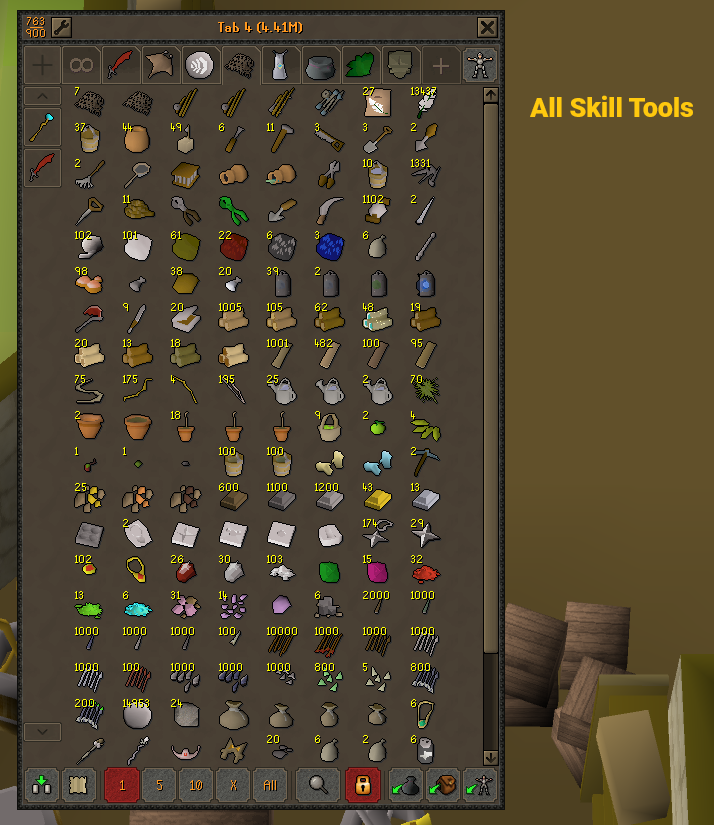
In this tab, you'll find all the necessary tools to level up non-combat skills, such as mining, woodcutting, firemaking, construction, and so on. We recommend sending all the tool items you find in your bank to this tab. Don't worry too much about the order at first; once you have all the tools in one tab, it will be much easier. This tab is designed to prevent random items from being scattered around your bank.
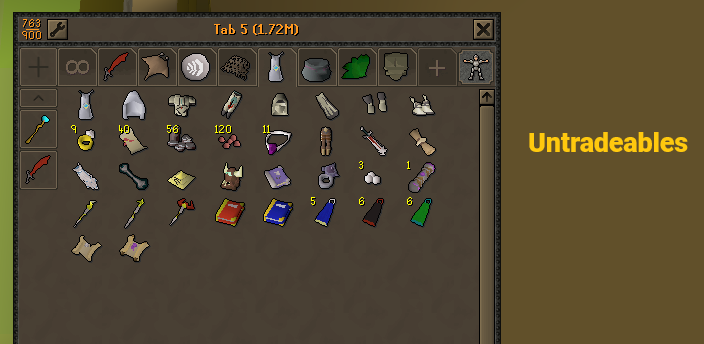
In this tab, we'll drag all the untradeable items, which are obtained through minigames, events, diaries, clue scrolls, etc. There's not much to explain; the name is self-explanatory.
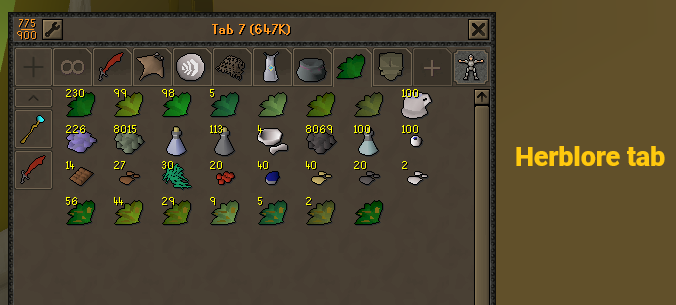
This tab is for storing all the secondaries for Herblore, as it's one of the skills that requires the most bank slots. We recommend having a separate tab for this skill. I don't have many herbs right now, but that won't be the case for most of you, who will obtain many herbs and secondaries as you level up.
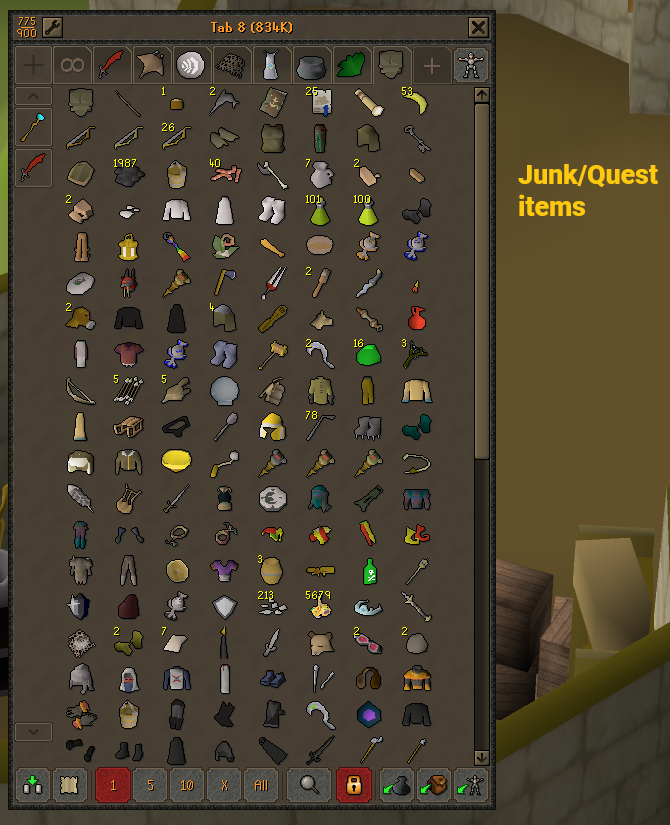
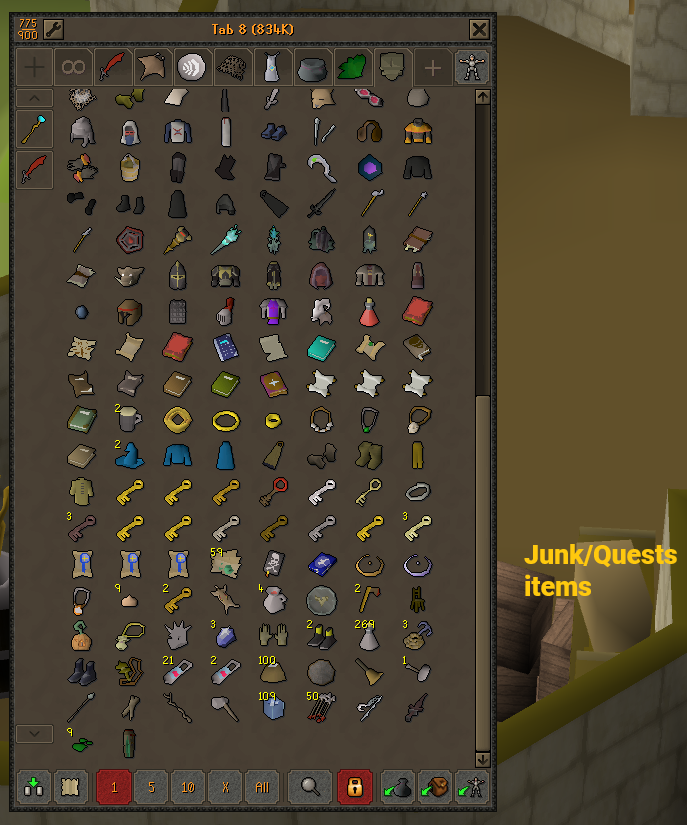
In this tab, we will drag all the things that are literally junk, things that we know are just taking up space in our bank. These items might be things you don't usually use regularly, but you'd like to have on hand in case you need them someday for one reason or another. Later, we can decide what to drop/destroy and what not to, but for now, we need to clean the bank and leave the main tab as clean as possible. Therefore, here we need to send everything else that does not meet the requirements of the previous tabs.
Step 7: Essential Bank Plugins
Bank Tab Layouts: This allows you to create custom tabs/setups where you can organize items freely without affecting their actual position in the main bank.
This is so you can obtain extra bank tab presets to get done various bosses/activities without worrying about what to bring, since you'll only have the necessary items for each activity. Below are two examples I'll use to better explain what I just wrote.
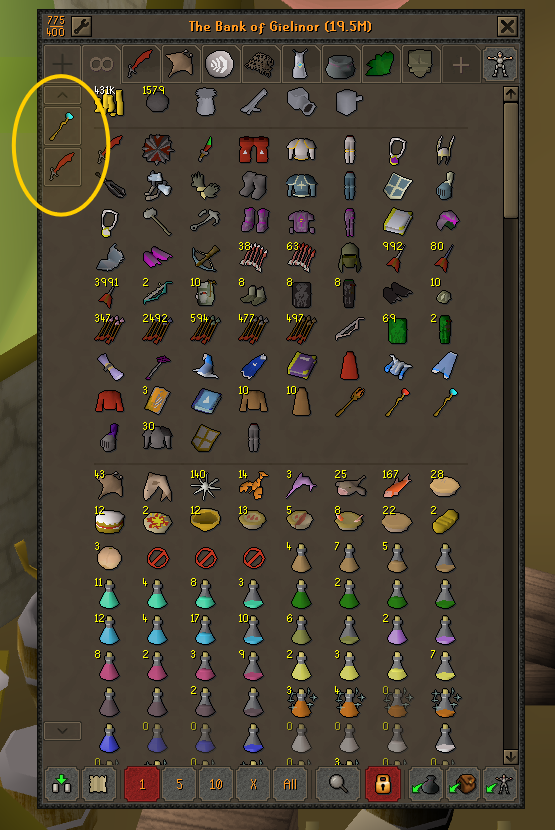
For example, let's say I want to create a tab for Splashing, the magic activity; we simply click on the plus (“+”) sign that will appear after installing our new RuneLite plugin and set the tab name and item icon.
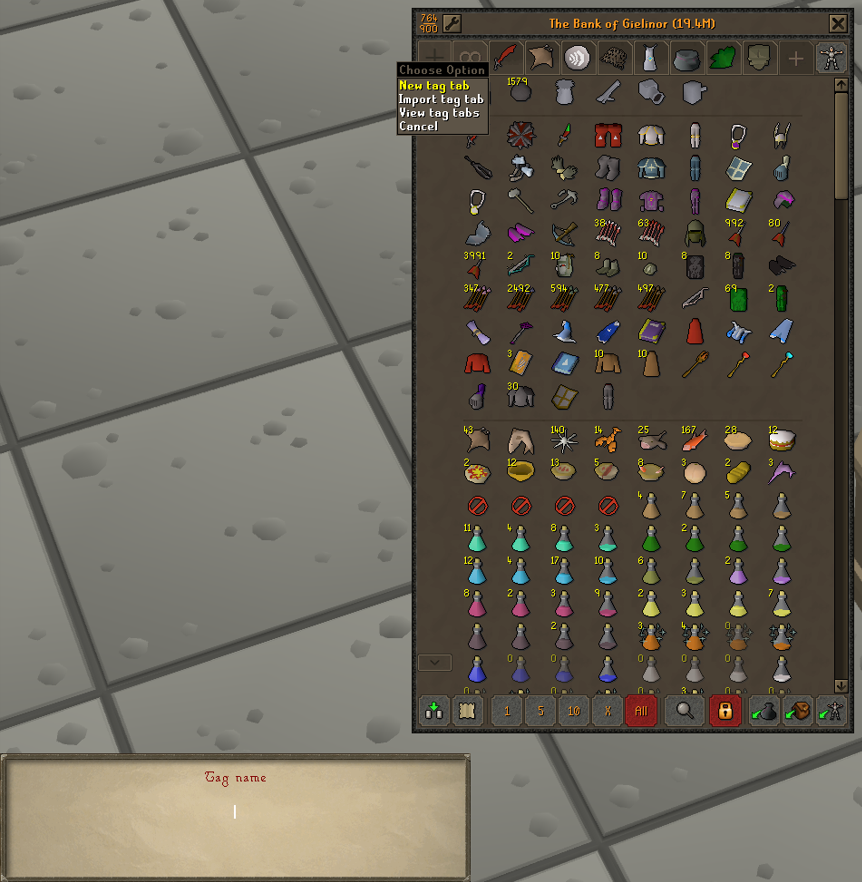 Once we have all the necessary items for that activity, we right-click on the main item, and the Disable Layout option will appear.
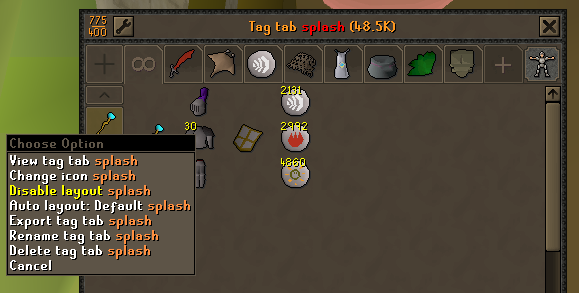
By activating the Disable Layout option, we can arrange the items in the bank however we want.
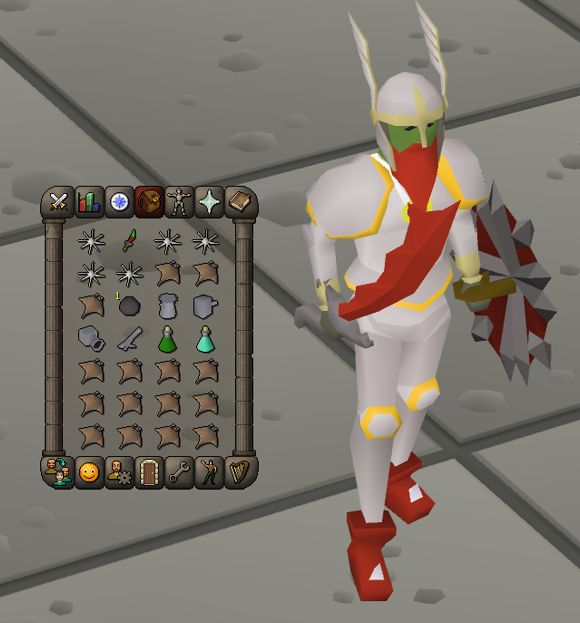
This is an example using my Slayer gear, including prayer gear, food, potions, and cannon.
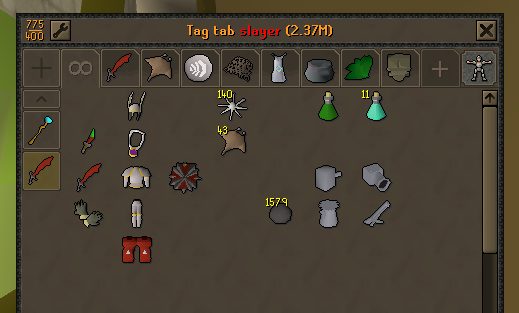
This is to demonstrate how to use this plugin and how much time it can save.
Ultimately, there's no single rule for how banks should be organized; everyone does it their own way. In this guide, I wanted to cover the most common method, the one generally used by most OSRS players. Don't let this stop you from exploring new options yourself or letting us know if you think there's a tab we should add to the guide.